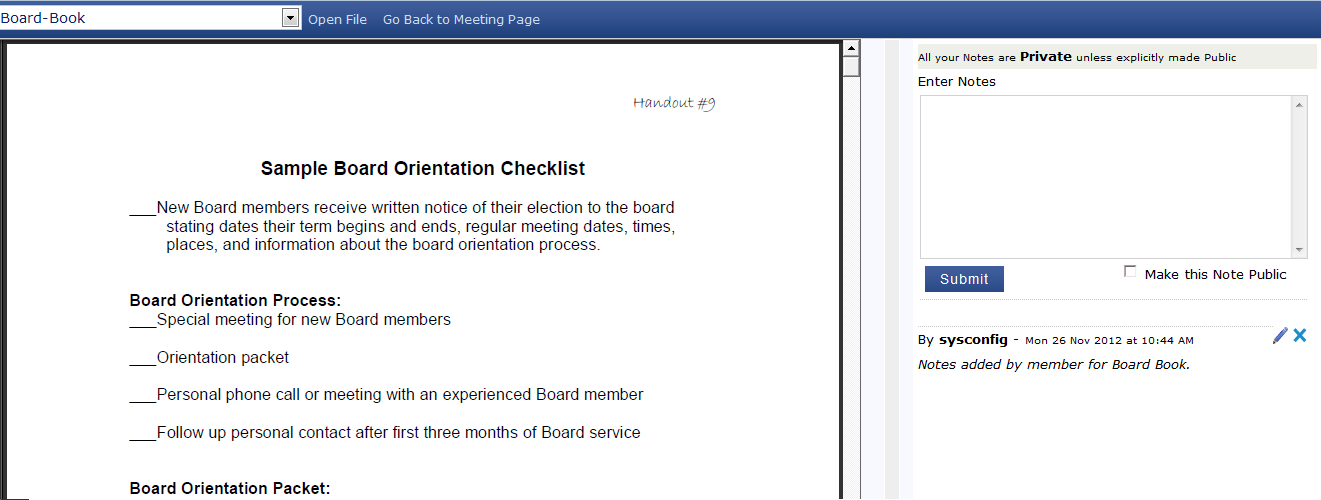


 How do I view documents and notes?
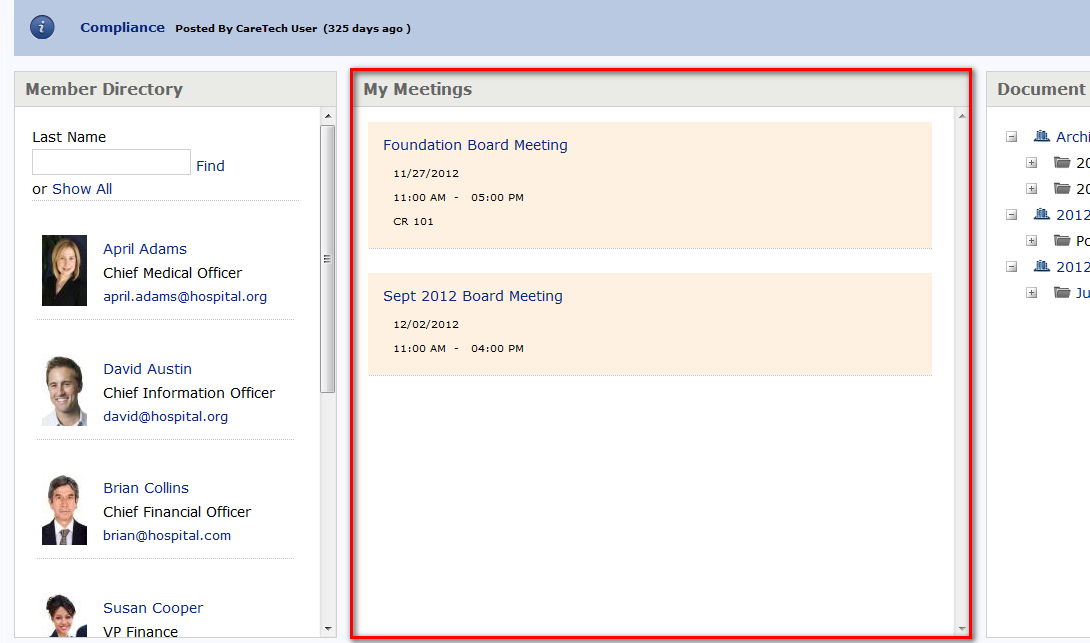
- 1Select the title of the meeting in the meeting section of your homepage
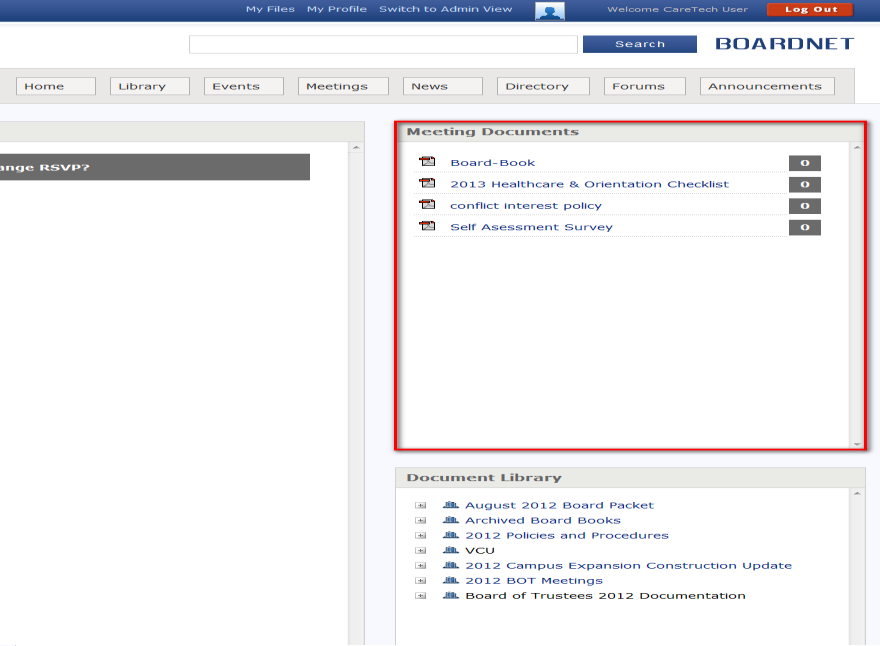
- 2You can view contents of a document by selecting the document on the right hand side of the screen.
- 3The meeting document will be displayed with the Notes section to the right side as shown below. To enter a new comment, fill out the box and select the 'Submit' button.